


DefenderShield
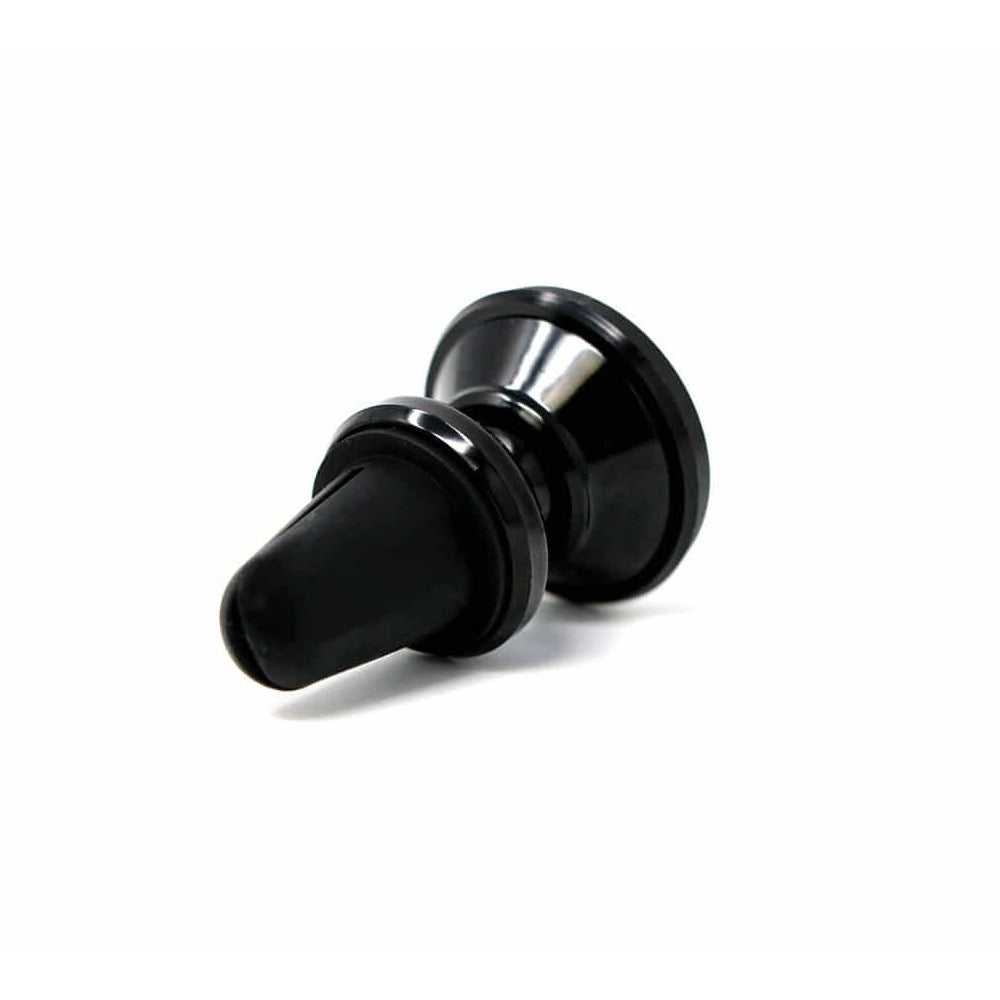
Magnetic Car Phone Holder – Air Vent Mount
Magnetic Car Phone Holder – Air Vent Mount
Couldn't load pickup availability
Description
Keep your Phone Away From Your Body While Driving
The safest spot for your phone while driving is off your lap, out of the cupholder, and in your line of sight. The magnet clips onto your car’s air vent and holds your phone at eye level with powerful magnets, a 360° swivel head, and an anti-shake design that keeps the screen steady on rough roads.
Place the phone, spin to the angle you want, and drive. One hand, one second, done.
Works With Defender Shield Cases — and Everything Else
If you own a Defender Shield Detachable Magnetic Wallet Case, the mount is ready out of the box. Clip the mount to your car vent blades, detach the magnetic nesting from the wallet, place it on the mount, and drive. When you arrive, pull the nesting off and snap the wallet back on.
If you use a different phone or case, the mount includes two 3m adhesive metal plates. Peel the backing, press a plate onto the back of your phone or case, and the magnets grip it the same way. The mount also works with GPS units, mini tablets, and other small electronic devices that accept a magnetic plate.
Features
🧲 Powerful Magnetic Hold
Strong magnets grip the phone securely whether you are driving over potholes, speed bumps, or highway seams. The phone stays put until you pull it off deliberately.
Designed for Defender Shield Detachable Magnetic Wallet Cases — the magnetic nesting drops straight onto the mount. For any other phone, the included 3M adhesive plates add the same magnetic connection. One mount works across your entire household’s phones.
🛡 Anti-Shake, Anti-Shock Build
The mount absorbs vibration from the road so your screen stays readable and your navigation stays visible. No wobble at highway speed, no bounce on rough pavement.
How to Use
Installation
1. Clip the mount onto your air vent. Slide the clip onto a horizontal vent blade. Push it as far back as it will go for the firmest grip. Placing it on the bottom blade of the vent gives the best weight support.
2. Attach your phone.
• Defender Shield Wallet Case: Detach the magnetic nesting (with your phone inside) from the wallet. Place the nesting onto the mount. The magnets grip automatically.
• Any other phone: Peel the backing from one of the included 3M adhesive metal plates. Press it firmly onto the back of your phone or phone case. Place the phone onto the mount.
3. Adjust the angle. Rotate the 360° swivel head to your preferred viewing position.
Tips
• If the mount slides on a smooth vent blade, try a different blade or push the clip further back.
• If the weight of the mount and your phone tilts the horizontal vent blades down, make sure to wedge the mount on the bottom vent blade to allow for vent blade control.
• The 3M plates work best on flat, smooth surfaces. Textured or heavily curved cases may reduce grip.
• When not in use, leave the mount clipped to the vent — it is small enough to stay out of the way.
• When you arrive, pull the phone off and reattach the Defender Shield EMF Wallet Case for full EMF shielding and card carry.
|
|
|
|
Warranty |
1-year manufacturer warranty |
Video
Share
Materials
Materials
Dimensions
Dimensions
Care information
Care information


Subscribe to our emails
Subscribe to our mailing list for insider news, product launches, and more.